Already Sideloading?
If you already have sideloaded before, add the source to SideStore or AltStore:
No-PC Installation Alternative (iOS 17+)
Looking to install SideStore without a computer? Check out SideInstaller on Reddit. Please note that this is a community tool which I cannot personally vet or guarantee as I haven't used it—proceed with caution.
Prerequisites Checklist
Ensure you have the following ready before starting the installation:
- iPhone, iPad, or iPod touch.
- Free Apple Developer account.
- iLoader installed on your Windows, Mac, or Linux PC.
- USB cable to connect your device.
- On iOS 16+, Developer Mode enabled in Settings → Privacy & Security.
Enable Developer Mode (iOS 16+)
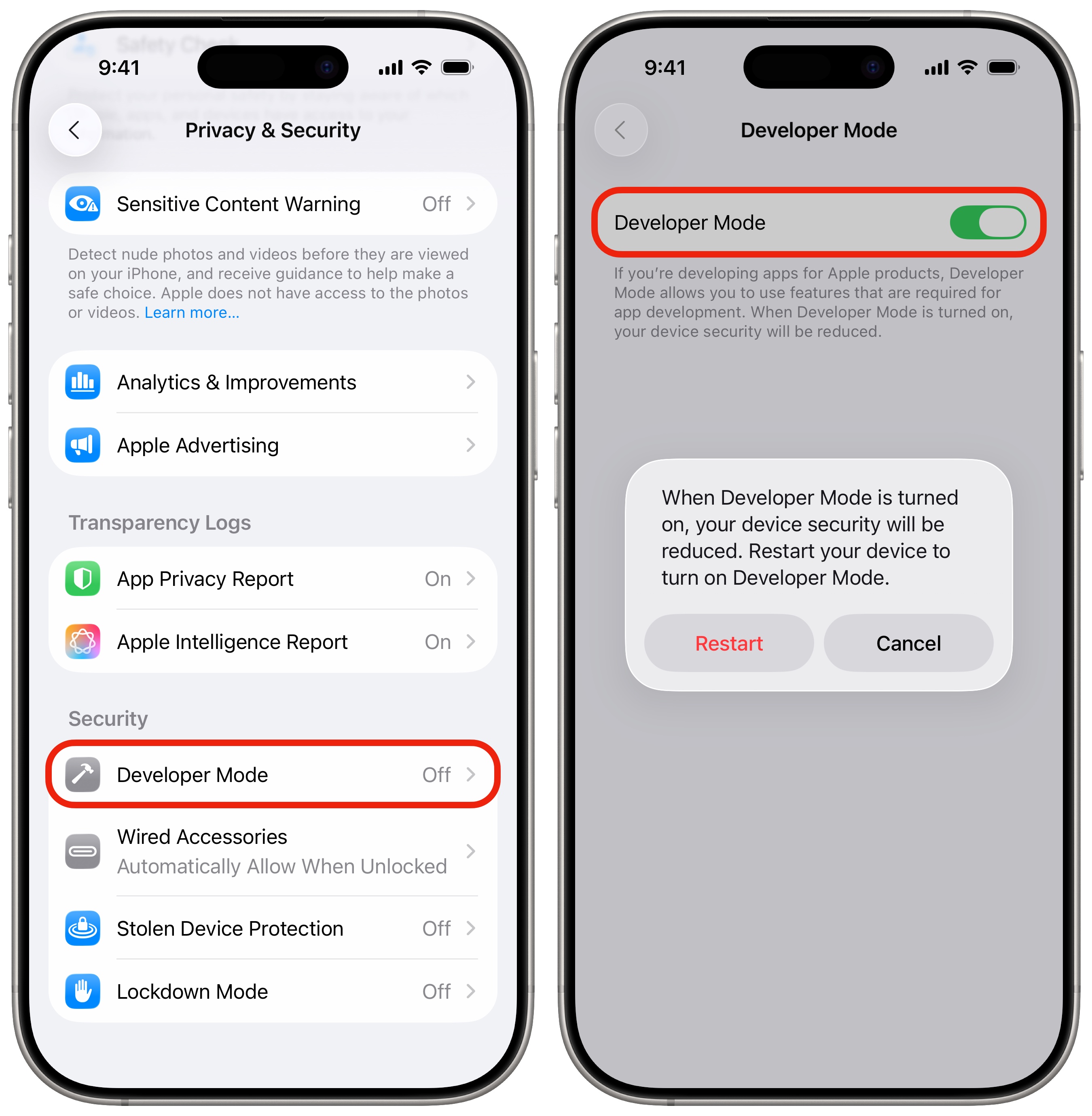
On your iPhone or iPad, open Settings, scroll down and tap Privacy & Security, then scroll to the very bottom and tap Developer Mode. Toggle the switch ON and tap Restart. Once your device turns back on, unlock it, tap Turn On on the prompt, and enter your passcode.
Install iLoader & Sign In with Your Apple ID
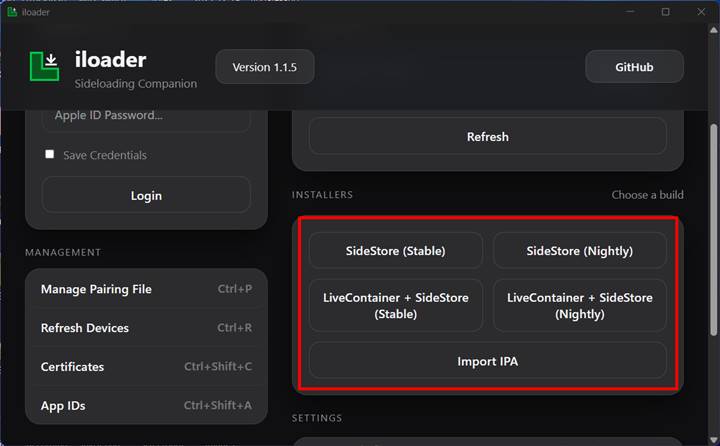
Download and install iLoader on your Mac, Windows, or Linux computer. Launch iLoader and sign in with the Apple ID that you have an Apple Developer account with before connecting your iPhone or iPad.
Connect Device via USB & Install SideStore
After signing into iLoader, connect your iPhone or iPad to your computer using a USB cable and tap Trust This Computer if prompted. In iLoader, select your connected device from the list and click Install SideStore to sideload SideStore onto your device.

Download LocalDevVPN & Connect to Wi-Fi
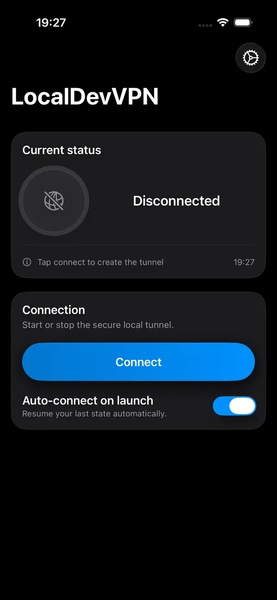
Download LocalDevVPN on the App Store. SideStore relies on a local loopback VPN to wirelessly sign and refresh apps without a computer. You must download LocalDevVPN and connect to it (while connected to Wi-Fi) before launching SideStore.

Add LunarDrift Source & Install App
In SideStore, tap the Sources tab in the bottom bar, tap the + icon in the top
corner, and enter the source URL: https://lunardrift.watch/apps.json (or tap the Add to
SideStore button above). Once added, find LunarDrift in the app list and tap
Install to enjoy streaming!


Important: 7-Day App Expiration Notice
Make sure to read the section below so the app does not expire after 7 days due to having a free Apple Developer account. You can refresh the app manually inside SideStore while connected to LocalDevVPN, or follow the guide below to set up an automatic scheduled refresh!
Automate Background App Refreshing
Keep your sideloaded apps signed indefinitely without manual intervention
Free Apple Developer accounts require apps to be refreshed every 7 days. You can set up an iOS Shortcut automation to run in the background 2–3 times a week to automatically connect to LocalDevVPN and refresh all your sideloaded apps.
- Install the Actions App: Download the free Actions app on the App Store. This app gives Apple Shortcuts the required actions to connect to SideStore and refresh apps in the background.
- Get the Refresh Shortcut: Add the Refresh SideStore iOS Shortcut to your Shortcuts library.
- Open & Verify Shortcut Actions: Open the shortcut to edit its actions. If any actions say "Action Not Found" or show errors, delete it and add Refresh All Apps instead.
- Create a New Automation: In the iOS Shortcuts app, tap the Automation tab at the bottom and tap New Automation (or the + icon).
- Set Schedule (2–3 Times a Week): Choose Time of Day (e.g., overnight while connected to Wi-Fi and charging), select Weekly, and select 2 to 3 days per week (such as Monday, Wednesday, and Friday).
- Configure Execution: Choose Run Immediately and ensure Notify When Run is toggled off so the automation executes silently without prompt interruptions.
- Assign Shortcut: Select the Refresh SideStore shortcut. SideStore will now refresh all your sideloaded apps automatically in the background!


Ready to start watching?
You can also access your library and streams instantly in any desktop or mobile browser.